
Translations of this page?:
TechWiki
GW60 Rollo
- GW60 Superrollo
- Hardware
- Programming
- S/W extension
- TRADFRI Modul
- Modul H/W
- Programming
- Tools
- GW60 TRADFRI adapter
- Schematic
- Programming adapter
- Housing
- Integration
This is an old revision of the document!
Connect the camera module (8-bit data interface) to STOUT (CN6: VIN0_camera I/F 34pin) and restart YOCTO.
After boot the following messages could be find:
[    2.971467] soc-camera-pdrv soc-camera-pdrv.0: Probing soc-camera-pdrv.0
[    3.094623] ov10635 2-0030: ov10635 Product ID a6 Manufacturer ID 35
[    3.734729] soc-camera-pdrv soc-camera-pdrv.1: Probing soc-camera-pdrv.1
[    3.751281] ov10635 1-0030: Failed writing register 0x0103!
[    3.764290] soc-camera-pdrv soc-camera-pdrv.2: Probing soc-camera-pdrv.2
[    3.780825] ov10635 2-0031: Failed writing register 0x0103!
[    3.793827] soc-camera-pdrv soc-camera-pdrv.3: Probing soc-camera-pdrv.3
[    3.810367] ov10635 1-0031: Failed writing register 0x0103!
[    3.823710] rcar_jpu fe980000.jpeg-codec: encoder device registered as /dev/video1
[    3.842579] rcar_jpu fe980000.jpeg-codec: decoder device registered as /dev/video2
The command v4l2-ctl –all shows the actual capability and status:
root@stout:~# v4l2-ctl --all
Driver Info (not using libv4l2):
	Driver name   : r8a7790-vin.0
	Card type     : R_Car_VIN
	Bus info      :
	Driver version: 3.10.31
	Capabilities  : 0x04200001
		Video Capture
		Streaming
Video input : 0 (Camera: ok)
Format Video Capture:
	Width/Height  : 1280/800
	Pixel Format  : 'NV16'
	Field         : None
	Bytes per Line: 1280
	Size Image    : 2048000
	Colorspace    : Broadcast NTSC/PAL (SMPTE170M/ITU601)
	Custom Info   : deadbeef
Crop Capability Video Capture:
	Bounds      : Left 0, Top 0, Width 1280, Height 800
	Default     : Left 0, Top 0, Width 1280, Height 800
	Pixel Aspect: 1/1
Crop Capability Video Capture:
	Bounds      : Left 0, Top 0, Width 1280, Height 800
	Default     : Left 0, Top 0, Width 1280, Height 800
	Pixel Aspect: 1/1
Crop: Left 0, Top 0, Width 1280, Height 800
Streaming Parameters Video Capture:
	Capabilities     : timeperframe
	Frames per second: 25.000 (25/1)
	Read buffers     : 0

User Controls

                horizontal_flip (bool)   : default=0 value=0
                  vertical_flip (bool)   : default=0 value=0
Video can be captured with the tool avconv:
Example 1 (capture and store a MJPEG video):
avconv -f video4linux2 -pix_fmt yuv422p -s 1280x720 -r 25 -i /dev/video0 -c:v mjpeg result.mov
Example 2 (capture and stream as H264 or MPEG2 video):
avconv -f video4linux2 -pix_fmt yuv422p -s 1280x720 -r 25 -i /dev/video0 -c:v libx264 -f mpegts udp://192.168.0.16:6000
avconv -f video4linux2 -pix_fmt yuv422p -s 1280x720 -r 25 -i /dev/video0 -vcodec mpeg2video -r 25 -f rtp rtp://192.168.0.16:1234
Example 3 (capture one frame and store as picture):
./capture -d /dev/video0 -f -o -c 1 > video_1f.uyvy
convert -size 1280x720 -depth 16 -sampling-factor 4:2:2 ./Desktop/video_1f.uyvy ./Desktop/video_1f.png
Example 4
./capture -d /dev/video0 -f -o -c 10000 > file.img

gst-launch-1.0 -v v4l2src device=/dev/video0 io-mode=dmabuf ! 'video/x-raw,format=NV16,width=1280,height=800,framerate=30/1' ! omxh264enc target-bitrate=9600000 ! avimux ! filesink location=/run/tmp.mp4

gst-launch-1.0 -v v4l2src device=/dev/video0 io-mode=dmabuf ! 'video/x-raw,format=NV16,width=1280,height=800,framerate=30/1' ! omxh264enc target-bitrate=9600000 ! 'video/x-h264,profile=baseline,level=(string)2.2' ! h264parse ! avimux ! filesink location=/run/test2.avi
On STOUT the nano WLAN module (EW-7811Un) with Chip Set Realtek RTL818x can be embedded.
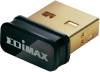
The kernel has to be prepared for readyForModuleRTL8192CU.
Load the module wlan.ko and start the interface by
insmod wlan.ko
ifconfig wlan0 up
</code>
Where wlan0 is the name of your wireless device (this is most often the default). The above command will bring your wireless device up so it is ready to use.
ifconfig shows your devices already:
wlan0     Link encap:Ethernet  HWaddr 80:1F:02:F1:DF:A9
          UP BROADCAST MULTICAST  MTU:1500  Metric:1
          RX packets:0 errors:0 dropped:2 overruns:0 frame:0
          TX packets:0 errors:0 dropped:0 overruns:0 carrier:0
          collisions:0 txqueuelen:1000
          RX bytes:0 (0.0 B)  TX bytes:0 (0.0 B)
The next phase is to scan for any wireless access points with the command
iwlist wlan0 scan
From the output of the scan you should see a line (or lines) like:
wlan0     Scan completed :
          Cell 01 - Address: 28:37:37:48:EF:2C
                    ESSID:"WLAN_RB"
                    Protocol:IEEE 802.11bgn
                    Mode:Master
                    Frequency:2.437 GHz (Channel 6)
                    Encryption key:on
                    Bit Rates:144 Mb/s
                    Extra:rsn_ie=30140100000fac040100000fac040100000fac020000
                    IE: IEEE 802.11i/WPA2 Version 1
                        Group Cipher : CCMP
                        Pairwise Ciphers (1) : CCMP
                        Authentication Suites (1) : PSK
                    Quality=78/100  Signal level=51/100


